
Antistock changelog
Customer Balance History
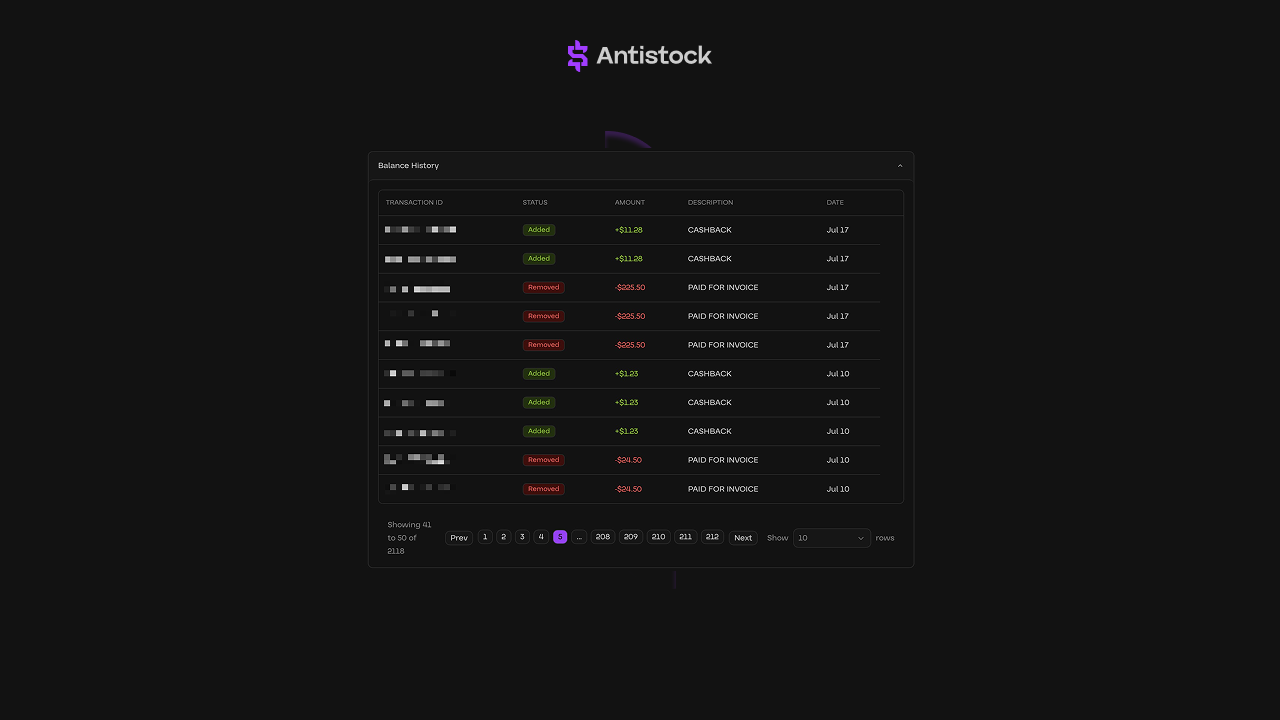
When your team manually edits customer balances or when customers consistently deposit balances to their accounts, businesses demand proper auditing.
We're launching a powerful addition to your business dashboard: customer balance history.
With customer balance history, you get a bird's-eye view of the customer balance lifecycle, from deposit to spend.
To access customer balance history, visit your customer business dashboard and select a customer profile, then scroll down: https://dash.antistock.io/customers.
Registered Customer Account
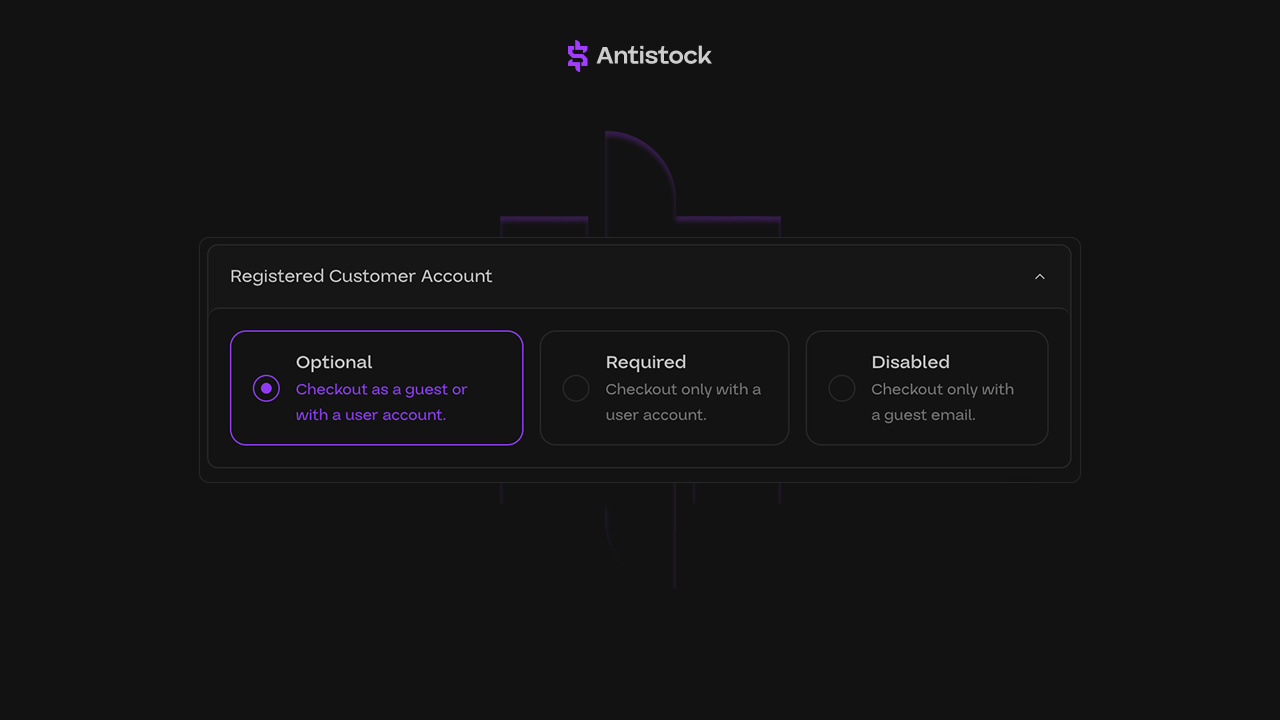
Segmenting access to your custom website, checkout, and customer dashboard is incredibly important as you scale. That's why we're announcing support for registered customer accounts.
With registered customer accounts, businesses can now set the following requirements:
• Optional: Checkout as a guest or with a user account.
• Required: Checkout only with a user account.
• Disabled: Checkout only with a guest email.
To enable customer account registration, visit your business dashboard settings and select a requirement: https://dash.antistock.io/settings/shop/company.
Telegram Stars Payment Type
Today, we’re launching support for one of the most popular payment types for Telegram-first businesses, Telegram Stars.
With Telegram Stars, your customers can now instantly one-click checkout with zero additional friction. For businesses, you'll receive payments directly to your connected Telegram account.
• Start accepting debit and credit card payments while receiving crypto payouts.
• You’ll receive funds directly to your Telegram account for full control and transparency.
• Antistock does not hold, manage, or process Telegram Stars funds on your behalf.
It is completely free to accept Telegram Stars payments for your internet business with the Antistock platform.
To get started, read more about enabling Telegram Stars as a payment type here: https://support.antistock.io/en/articles/12307016-how-do-i-enable-telegram-stars-as-a-payment-type-on-my-website.
Vouch Management System (VMS)
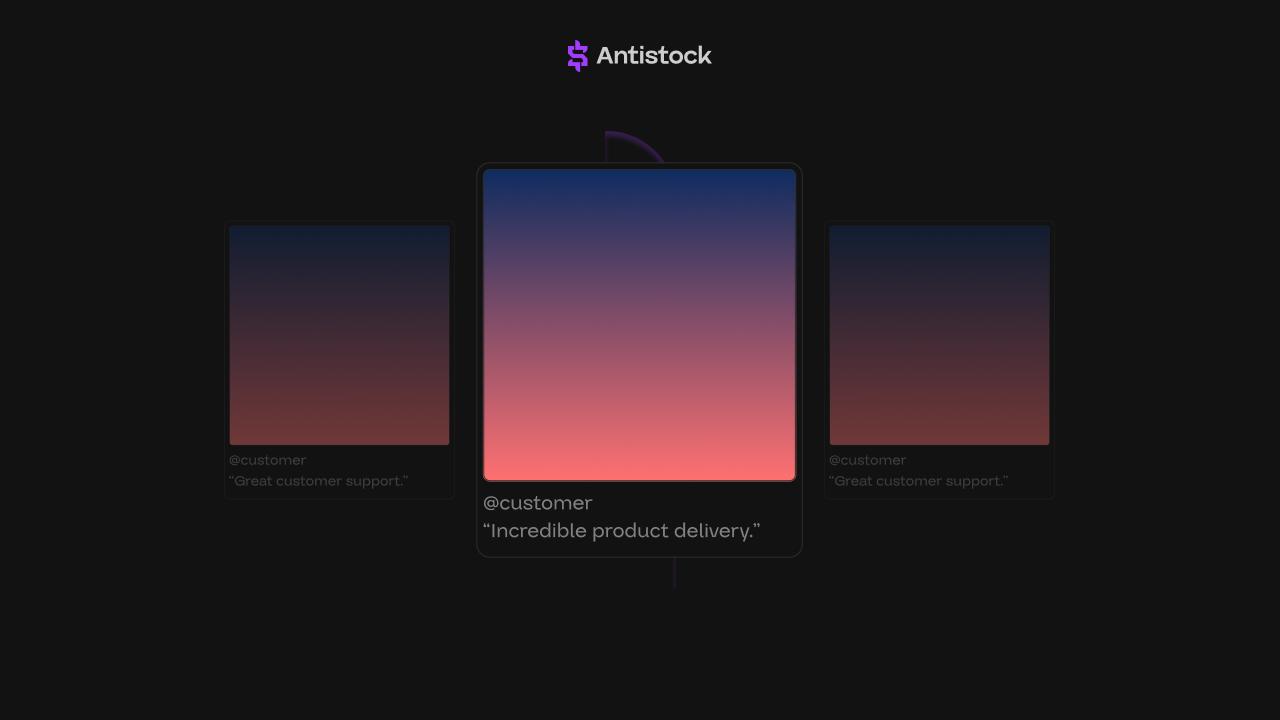
It's time that your business turns review and vouch management on autopilot.
The only reputation that matters is the customer experience -- and with the Antistock dedicated vouch management system, you unlock complete visibility over every review.
With our Vouch Management System, customers can now upload images or screenshots alongside their written review after completing a purchase.
At scale, businesses and their team can manage these vouches directly within their Antistock dashboard to:
• Approve or deny vouches manually or automatically (approved vouches instantly appear on your website) to boost transparency and credibility.
• Enable reward-based incentives, such as a 5% coupon or $10 store balance, to customers who submit valid vouches with images.
Note: Access to our Vouch Management System is entirely free with zero additional costs to your business.
To learn more about our Vouch Management System, watch our linked product demo here:
To get started with accepting vouches and customer reviews, enable the product feature here: https://dash.antistock.io/customers/vouches
Platform Wide Updates
13 new product features, platform improvements, and website fixes.
We've received a ton of monumental feedback to continue improving the business and customer experience. To build on top of that feedback, this past week, we've released and pushed a flurry of backend dashboard and custom hosted website updates.
• Introduced an advanced analytics dashboard preview for select businesses with an assigned Account Manager.
• Introduced a new “Partially Refunded” status and draggable settings for manually refunding individual stock products when applicable.
• Introduced advanced settings to disable support for hosted websites in favor of third-party support redirects.
• Introduced revenue analytics graphs on the dashboard to provide a clearer visual breakdown of your business performance over time.
• Introduced new website font options, such as Ubuntu, Raleway, Muli, and Plus Jakarta Sans for hosted websites.
• Introduced the ability to connect Telegram accounts directly from account settings for automated alerts and notifications.
• Introduced tutorial videos for setting up custom bots and replacement workflows directly within the dashboard.
• Introduced a new replacement request status: “Failed”, for clearer tracking and reporting of unsuccessful replacement actions.
• Improved the business dashboard order pages with better history tracking, refined layout, and pricing breakdowns.
• Improved dashboard table pagination for faster data navigation and more consistent behavior across pages.
• Improved manual processing notes where our system now notes when a transaction or order has been processed by a team member.
• Improved editing payment types across the business dashboard for certain custom payment integrations.
• Fixed a minor onboarding error that resulted in certain websites not properly completing onboarding.
These updates are now live on your updated business dashboard and custom hosted websites: https://dash.antistock.io.
Custom Hosted Telegram Bots
As the only stock commerce platform available today to allow businesses of all shapes and sizes to automatically deploy a fast, scalable, and custom Telegram bot, Antistock is launching its advanced Telegram integration to 10X team and business operations.
Antistock builds the most powerful software tools for Telegram-based stock businesses. With our custom Telegram bots, you can:
• Send automated custom messages and stock update marketing alerts directly to customer' inboxes when they connect their Telegram account.
• View advanced data analytics tied to user distributions, connected users, and more directly through your business dashboard.
• Create a rule to reward customers with balance, coupons, or specific products if they enable notifications and connect their Telegram account.
• Set required dates and timelines for customers to connect their accounts to receive a reward. For example: "Receive 10% off coupon if connected for 30 days".
• Generate one-time invite links for customers to join your chatroom after they complete a purchase at checkout.
Antistock will continue to build new features with Telegram to improve the customer experience as well (including future built-in support tools, engagement rewards, etc).
Note: Access to our Advanced Telegram Integration and Custom Hosted Telegram Bots is entirely free with zero additional costs to your business.
To learn more about our Custom Hosted Telegram Bots, watch our linked product demo here:
FAQ: Custom Hosted Telegram Bots Frequently Asked Questions
We've answered your most asked questions around creating a custom Telegram bot, connecting multiple channels, sending warehouse stock alerts, automating marketing messages, and more here: https://support.antistock.io/en/articles/12306993-how-do-i-create-a-custom-hosted-telegram-bot-for-my-business.
Not sure how to get started? We recommend connecting with your Account Manager for any additional questions you may have regarding our Advanced Telegram Integration or Custom Telegram Bots.
Platform Wide Updates
13 new product features, platform improvements, and website fixes.
We’re announcing a package of updates deployed this past week across the business dashboard and custom hosted websites, entirely designed from the ground up, to primarily improve the customer payment and checkout experience.
• Introduced custom self-hosted images for replacement requests to improve performance and reliability with customer images (customers are no longer required to upload their images to third-party hosting websites).
• Introduced a new service custom product type to support specialized products within your catalog.
• Introduced "Partial Delivery Failure Refunds", where our system automatically refunds out-of-stock items directly to the customer’s balance when an order cannot be delivered in full.
• Improved the product table dashboard to properly display advanced data, including total available stock.
• Improved email delivery for order completion and payment notifications for faster customer communication.
• Improved the order view page with detailed history timelines and info modals for price breakdowns.
• Improved various table dashboards by adding quick copy and view buttons for customer emails and transaction IDs.
• Improved the order table dashboard by adding product names and payment icons.
• Improved business dashboard loading by removing unused libraries and optimizing dependencies.
• Improved the charges table dashboard with consistent payment icons for better visibility.
• Improved website customizations to include cleaner layouts, sectioned edits, and a more intuitive design.
• Fixed an issue preventing website names from being updated outside of the 30-day window.
• Fixed a required platform agreement prompt appearing after certain businesses completed their onboarding.
These updates are now live on your updated business dashboard and custom hosted websites: https://dash.antistock.io.
Replacement Management System (RMS)
The Antistock Replacement Management System (RMS) is an advanced management dashboard for businesses to scale their operations with automated replacements.
In the past few weeks, while we were testing our Replacement Management System (RMS), we've seen that when businesses enable revenue collection with Priority replacements for their websites, they generate 20-30% in new revenue month-over-month compared to other manual systems.
When your business enables our Replacement Management System (RMS), you'll get access to:
• Track automated and manual customer replacement requests
• Enable rules to automatically approve replacements based on certain thresholds.
• Charge customers for priority replacements via our revenue collection dashboard (at checkout, customers can select to pay for that priority replacement).
• Require customers to upload image evidence regarding their request to replace the product delivered to them.
• Set certain rules to auto-deny replacement requests if customers attempt to request replacement after certain warranty periods (for example, if they did not pay the $2.99 priority replacement fee).
Antistock will continue to improve and build on its Replacement Management System (RMS) to continue to deliver the most scalable and powerful commerce platform for stock businesses.
Note: Access to our Replacement Management System (RMS) is entirely free with zero additional costs to your business.
To learn more about our Replacement Management System (RMS), watch our linked product demo here:
FAQ: Replacement Management System (RMS) Frequently Asked Questions
We've answered your most asked questions around enabling revenue collection, setting rules to automatically approve settings, differences between Priority and Standard, and more here: https://support.antistock.io/en/articles/12341109-what-is-a-replacement-management-system-rms
As always, we're always happy to help. Please connect with your Account Manager for any additional questions you may have regarding our Replacement Management System (RMS).